Sequence
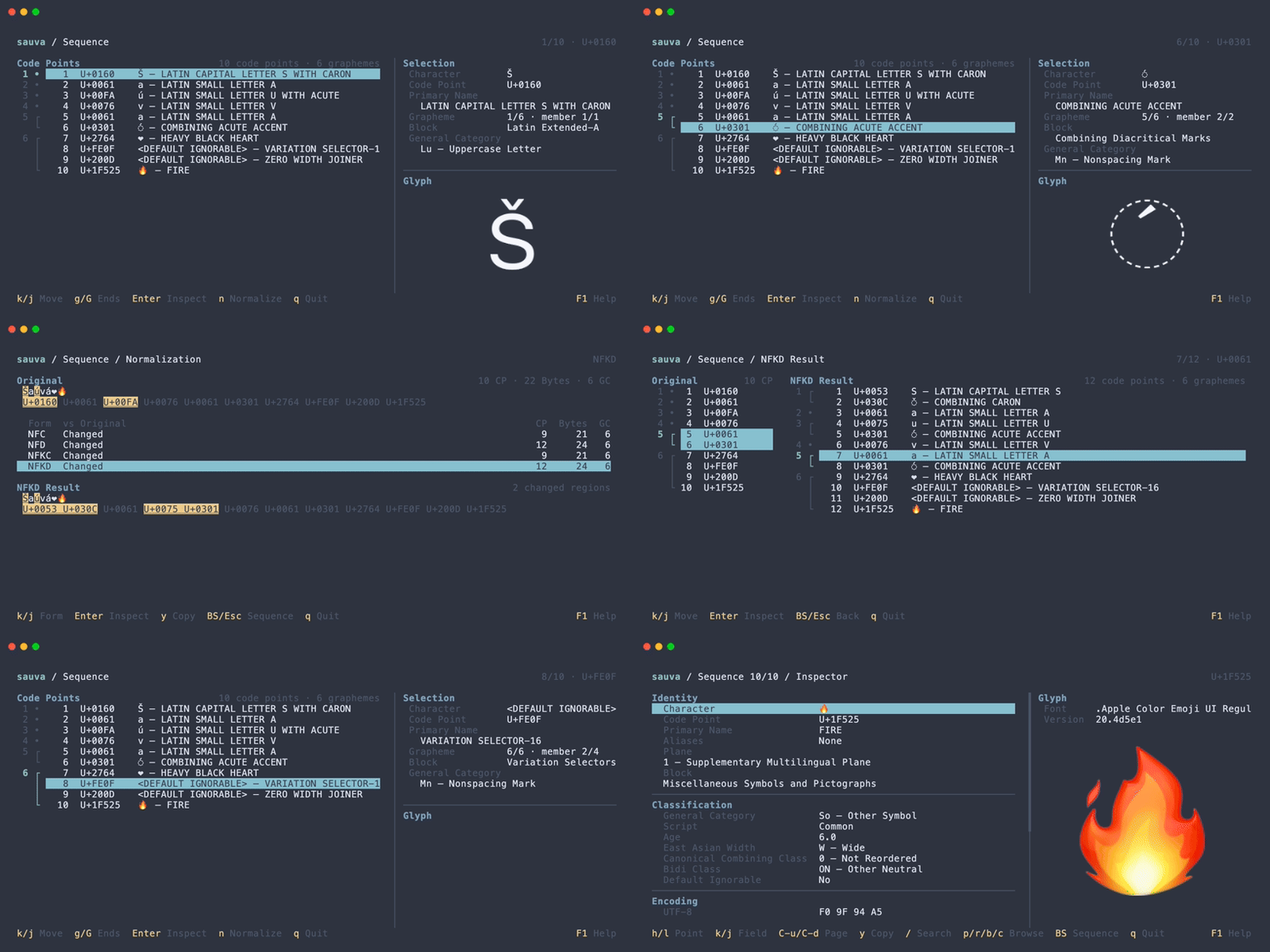
Sequence mode analyzes a string as an ordered list of code points, grouped into grapheme clusters. It is useful for examining combining marks, emoji sequences, and invisible characters.
Start in Sequence Mode
Pass a string to analyze its code points and grapheme clusters:
sauva 'Á👩💻'
See Basic Usage for literal text and piped input examples, and Command Line Options for input interpretation rules.
Code Points and Grapheme Clusters
A code point is one Unicode value, such as U+0041. A grapheme cluster groups code points into a unit that often corresponds to a user-perceived character. Sauva uses extended grapheme cluster boundaries as described in Unicode Text Segmentation.
For example, the string Á👩💻 contains five code points and two grapheme clusters:
| Cluster | Code points |
|---|---|
Á | U+0041 LATIN CAPITAL LETTER A + U+0301 COMBINING ACUTE ACCENT |
👩💻 | U+1F469 WOMAN + U+200D ZERO WIDTH JOINER + U+1F4BB PERSONAL COMPUTER |
The accented A in the command above is U+0041 followed by U+0301.
Reading the Screen
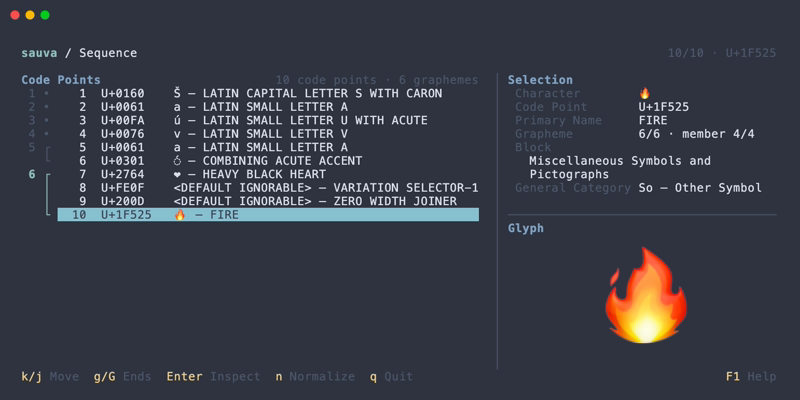
- Each row shows the input position, code point, display representation, and Unicode name.
- The left gutter numbers grapheme clusters and connects their member code points. A dot marks a cluster containing one code point.
- When space is available, the selection panel shows the selected code point's properties and position within its cluster. The glyph image renders that individual code point.
Input order, repeated characters, spaces, and newlines are preserved. Labels and dotted circles make otherwise hard-to-see characters visible in the list.
Inspect a Code Point
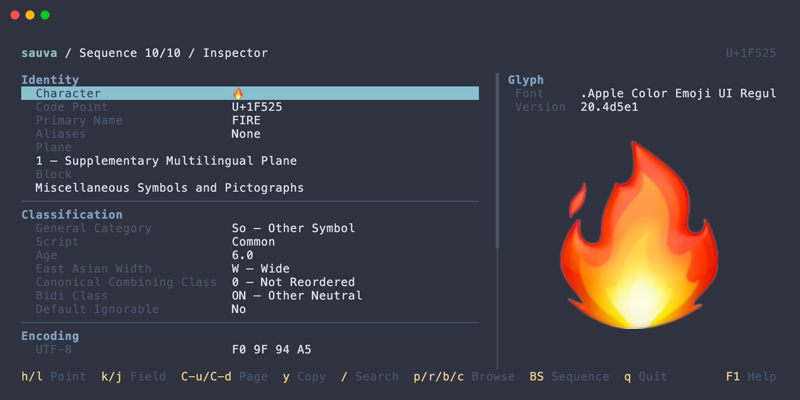
Open a code point in the Inspector to read its properties.
Copying
The copy dialog copies the selected code point, its whole grapheme cluster, or the original input in a chosen format.
Operations
| Keys | Action |
|---|---|
| Up / Down | Select a code point |
| Enter | Open the selected code point in the Inspector |
| n | Compare normalization forms |
| Y | Open the copy dialog |
Backspace in the Inspector returns to Sequence.
See Keybindings for all Sequence and copy dialog controls.