Bookmarks
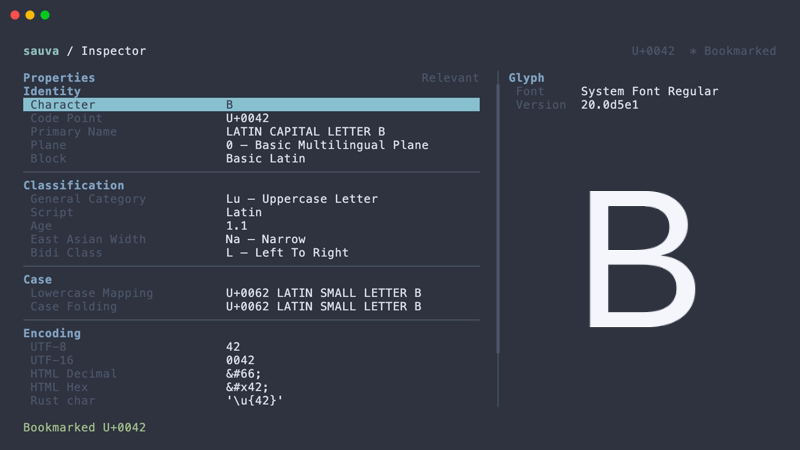
Save code points to revisit them across sessions. In the Inspector, press m to add the current code point.
Bookmark List
Press M in the Inspector to open Bookmarks.
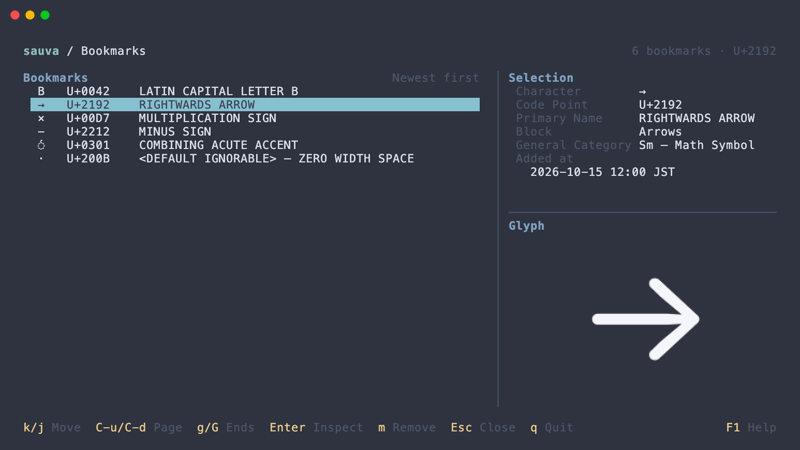
Bookmarks can be sorted by registration time or code point, in ascending or descending order.
Registration Time
Customize the display of registration times with ui.bookmark_date_format.
Storage
Bookmarks are saved in $XDG_DATA_HOME/sauva/bookmarks.toml, or ~/.local/share/sauva/bookmarks.toml when XDG_DATA_HOME is unset or empty.
Any code point that Sauva can inspect can be bookmarked, including unassigned code points and surrogates.
Operations
| Keys | Action |
|---|---|
| Up / Down | Select a bookmark |
| Enter | Open the selected code point in the Inspector |
| m | Remove the selected bookmark |
| s | Switch sort order |
| Esc | Close Bookmarks and return to the Inspector |
Backspace in the Inspector returns to the bookmark list.
See Keybindings for all Bookmarks controls.