Copying
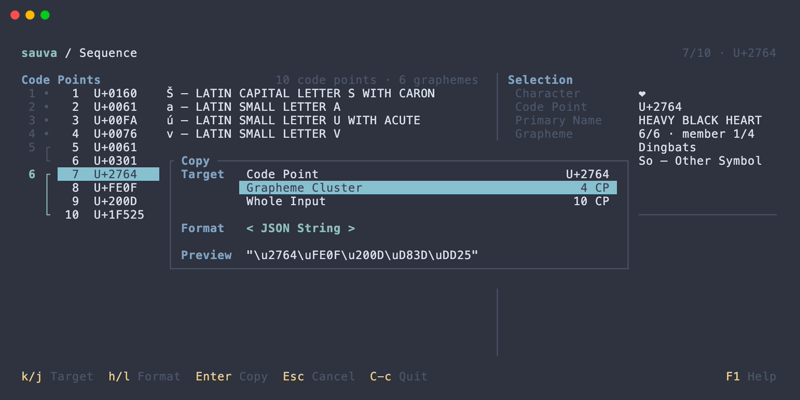
The copy dialog copies a character or string as text, a quoted string literal, or a numeric sequence.
Targets
| Screen | Available targets |
|---|---|
| Inspector | The current Code Point, regardless of the selected property |
| Sequence | The selected Code Point, its Grapheme Cluster, or the Whole Input |
| Normalization comparison | The selected form's Whole Result |
| Normalization Result | The selected Code Point, its Grapheme Cluster, or the Whole Result |
A grapheme cluster includes members outside the visible list. Normalization copies use the selected result.
Formats
The following examples use A + U+0301 + 😀:
| Format | Clipboard content |
|---|---|
| Text | The actual text Á😀 |
| JSON String | "A\u0301\uD83D\uDE00" |
| Rust String | "A\u{301}\u{1F600}" |
| Code Point List | U+0041 U+0301 U+1F600 |
| UTF-8 Hex | 41 CC 81 F0 9F 98 80 |
| UTF-16 Units | 0041 0301 D83D DE00 |
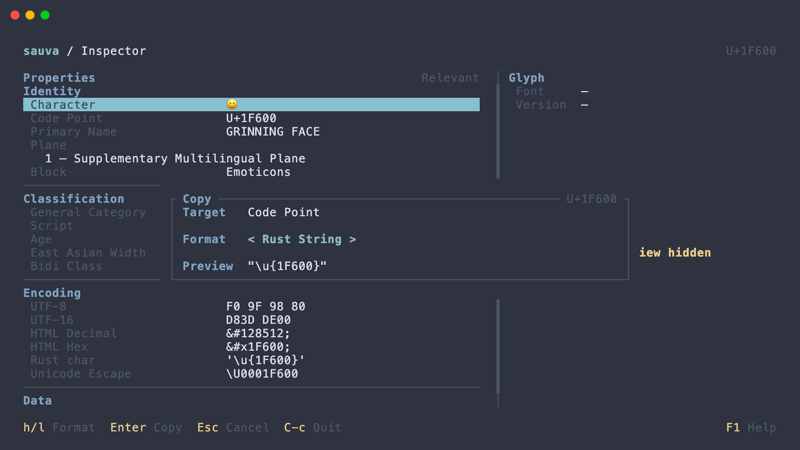
JSON String and Rust String include quotes and use ASCII escapes for non-ASCII characters and controls. Even one character is copied as a string literal.
Numeric sequences use uppercase hexadecimal values separated by spaces. UTF-8 Hex is text representing bytes; UTF-16 Units represents 16-bit code units without selecting a byte order.
Copies preserve whitespace, line endings, and invisible characters. Display aids and preview ellipses are not copied.
Surrogates support Code Point List only, such as U+D800.
Operations
| Keys | Action |
|---|---|
| Y | Inspector, Sequence, or Normalization: open the copy dialog |
| Up / Down | Copy dialog: select a target when multiple targets are available |
| Left / Right | Copy dialog: cycle through the available formats |
| Enter | Copy dialog: copy the selected target and format |
See Keybindings for all copy dialog controls and Custom Keybindings to change them.